Best AI Video Generators 2026: Sora 2 vs Veo 3.1 vs Runway (Tested)
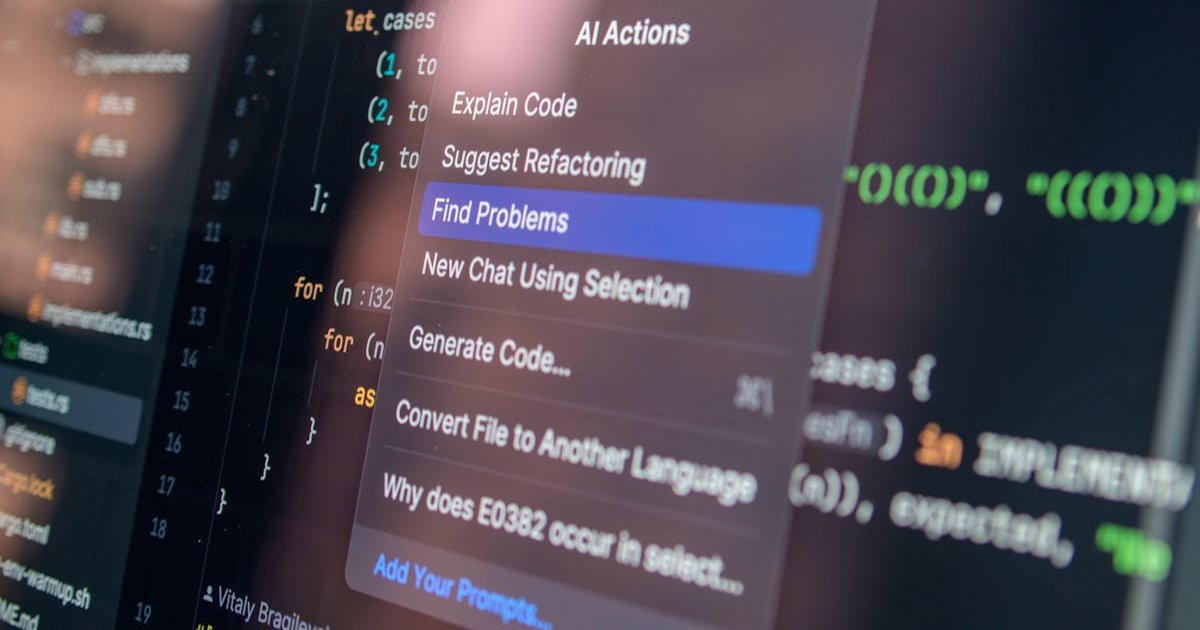
Hands-on comparison of the best AI video generators in 2026. Pricing, quality, and use cases for Sora 2, Veo 3.1, Runway Gen-4.5, and Kling 3.0.
If you have tried to make a product demo, a social media ad, or a short explainer video in the last year, you already know: traditional video production is painfully slow and expensive. Hiring a freelance editor for a 60-second clip still runs $300-$800, and that is before you factor in stock footage licensing.
AI video generators have gone from novelty to genuinely useful production tools in 2026. But with Google, OpenAI, Runway, and a wave of competitors all shipping major updates this quarter, picking the right one is harder than ever.
TL;DR: For cinematic quality and realism, Sora 2 is the current leader. For API-first workflows and 4K output on a budget, Google Veo 3.1 is the best value. Runway Gen-4.5 wins if you want a full creative platform with multi-model flexibility. Kling 3.0 is the budget pick for high-volume social content.
What Changed in Early 2026
The AI video space moved fast over the last six months. Three shifts matter most for anyone evaluating tools right now.
First, native audio generation is no longer a gimmick. The top-tier models now produce synchronized dialogue, ambient sound, and even music directly from your text prompt. You no longer need to layer audio in post-production for basic use cases.
Second, video length and consistency improved dramatically. Where we used to get 4-second clips riddled with artifacts, the leading generators now produce 10-30 second clips with stable character appearance and coherent physics.
Third, pricing models diversified. Some platforms charge per second of output, others bundle video into existing subscriptions, and a few still offer meaningful free tiers. The cost difference between platforms can be 5-10x for the same output length.
Head-to-Head Comparison Table
| Feature | Sora 2 (OpenAI) | Veo 3.1 (Google) | Runway Gen-4.5 | Kling 3.0 |
|---|---|---|---|---|
| Max Resolution | 1080p | 4K native | 1080p | 4K native |
| Max Clip Length | ~20 sec | ~30 sec | ~15 sec | ~10 sec |
| Native Audio | Yes | Yes (best-in-class) | Limited | Yes |
| API Access | Via ChatGPT API | Direct API | Direct API | Direct API |
| Starting Price | ~$200/mo (ChatGPT Pro) | $0.15/sec (fast mode) | $15/mo | $0.029/sec |
| Free Tier | Limited via ChatGPT Plus | Limited via AI Studio | 125 credits/mo | Generous free tier |
| Best For | Film-grade realism | Enterprise/API workflows | Creative professionals | High-volume social |
Sora 2: The Realism King
OpenAI’s Sora 2 produces footage that genuinely passes as real in many scenarios. Human movement looks natural, physics behave correctly, and prompt adherence is remarkably tight. If you describe specific lighting, camera angles, and scene composition, Sora 2 follows your instructions with a precision the other tools struggle to match.
The catch is access and pricing. Sora is bundled into ChatGPT’s subscription tiers rather than offered as a standalone product. That means you are looking at roughly $200 per month for the ChatGPT Pro plan to get meaningful generation limits. For a marketing team producing daily social content, the per-clip economics can work. For a solo creator making one video a week, it is steep.
Pros:
- Best-in-class realism and natural human motion
- Exceptional prompt adherence for detailed scene descriptions
- Strong narrative coherence across longer clips
Cons:
- No standalone pricing; bundled with ChatGPT Pro at ~$200/mo
- Capped at 1080p resolution
- Generation speed can be slow during peak hours
Google Veo 3.1: Best Value for Developers and Teams
Veo 3.1 is the tool I keep recommending to developer-founders and small SaaS teams. Google’s per-second API pricing ($0.15/sec in fast mode) means you only pay for what you generate, with no monthly commitment required.
What makes Veo 3.1 stand out beyond pricing is its audio synchronization. When your prompt describes a scene with dialogue or environmental sounds, the generated audio is genuinely well-matched. Lip-syncing on character speech is the best I have tested across all four platforms.
Native 4K output is another major advantage. If you are producing content for YouTube or a product landing page where resolution matters, Veo 3.1 saves you the upscaling step entirely.
Pros:
- Transparent per-second API pricing with no subscription lock-in
- Native 4K resolution output
- Best audio generation and lip-sync quality
- Direct API access for programmatic workflows
Cons:
- Premium pricing tier ($249/mo) is expensive for heavy users
- Less intuitive creative interface compared to Runway
- Character consistency across multiple clips can drift
Runway Gen-4.5: The Creative Professional’s Playground
Runway has been in the AI video game longer than most, and Gen-4.5 shows that experience. The platform is not just a single model — it is an integrated creative environment that now includes access to both Runway’s own models and Google’s Veo 3/3.1 under a single subscription.
That multi-model approach is Runway’s killer feature. You can generate a clip with Gen-4.5 for its superior character consistency, then switch to Veo 3.1 for a scene where audio quality matters more, all without leaving the editing interface. For creative professionals who need flexibility, this is hard to beat.
Starting at $15 per month, Runway is also the most accessible entry point for anyone who wants to experiment before committing serious budget. The free tier gives you 125 credits monthly, which is enough for roughly 5-8 short clips depending on settings.
Pros:
- Multi-model access (own models plus Veo 3/3.1) in one platform
- Best-in-class character consistency across scenes
- Most polished creative interface and editing tools
- Affordable entry point at $15/mo
Cons:
- Max resolution capped at 1080p on Runway’s own models
- Heavy users will hit credit limits quickly on lower tiers
- The unlimited plan at $76/mo is a significant jump
Kling 3.0: The Budget Volume Play
Kling 3.0 is the tool nobody talks about at conferences but everybody uses for TikTok and Instagram Reels. At $0.029 per second, it is roughly 5x cheaper than Veo 3.1 and produces surprisingly good results for social-first content.
The realism is a step below Sora 2 and Veo 3.1, but for 9:16 vertical clips destined for mobile screens, the quality gap shrinks considerably. Kling also offers native 4K output and a generous free tier that lets you test the platform without spending a dollar.
Where Kling falls short is on longer, more complex prompts. It handles simple scenes well — a person walking, a product rotating, a landscape panning — but struggles with multi-character interactions and complex physics.
Pros:
- Lowest per-second pricing at $0.029/sec
- Native 4K output
- Generous free tier for testing
- Fast generation speeds
Cons:
- Weaker prompt adherence on complex scenes
- Character interactions and physics less reliable
- Clip length capped at roughly 10 seconds
- Less mature API documentation
Which Tool Should You Pick?
Your choice comes down to your primary use case and budget.
Choose Sora 2 if you are producing hero content — landing page videos, brand films, or any footage where realism needs to be indistinguishable from real video. The $200/mo price tag is justified when each clip replaces a $500+ production.
Choose Veo 3.1 if you are a developer building video features into your product, or a team that needs API-first workflows with predictable per-use pricing. The audio quality alone makes it worth considering for any talking-head or explainer content.
Choose Runway Gen-4.5 if you are a creative professional who values flexibility. Access to multiple models under one roof, combined with the best editing interface in the space, makes it the most versatile option.
Choose Kling 3.0 if you are churning out daily social media content and need the lowest possible cost per clip. At 5x cheaper than the next option, the economics for volume creators are unbeatable.
Frequently Asked Questions
Can AI video generators replace professional video production in 2026?
For many use cases, yes. Product demos, social media ads, explainer clips, and B-roll footage can now be generated at quality levels that would have required a production crew two years ago. However, complex narrative content, brand films requiring exact talent likeness, and anything requiring precise real-world location accuracy still benefits from traditional production. Most businesses in 2026 are using a hybrid approach — AI for speed and volume, human production for flagship content.
How much does AI video generation cost per minute of output?
Costs vary dramatically by platform. At the low end, Kling 3.0 at $0.029/sec works out to roughly $1.74 per minute of generated video. Veo 3.1 in fast mode costs about $9.00 per minute. Sora 2 through ChatGPT Pro has a fixed monthly cost of ~$200 with generation limits, making the per-minute cost dependent on how much you produce. For most small businesses, expect to spend $30-$200 per month depending on volume and quality requirements.
Do AI-generated videos have copyright or licensing restrictions?
This varies by platform and jurisdiction. Most major platforms (OpenAI, Google, Runway) grant commercial usage rights for content generated on paid plans. However, the legal landscape around AI-generated content is still evolving in 2026, particularly in the EU. It is advisable to check each platform’s current terms of service and consult legal counsel if AI-generated video is central to your business model. None of the platforms currently claim ownership of your generated content on paid tiers.
Which AI video generator has the best free tier?
Kling 3.0 offers the most generous free tier, allowing several short clips per day without payment. Runway provides 125 free credits monthly, enough for 5-8 clips. Google Veo 3.1 offers limited free access through AI Studio. Sora 2 provides basic generation through a ChatGPT Plus subscription (~$20/mo) but does not have a truly free tier. If you want to test before buying, start with Kling or Runway.
Is native audio generation in AI video reliable enough for professional use?
In early 2026, native audio generation has crossed the threshold from gimmick to genuinely useful for certain content types. Veo 3.1 leads the pack with the most accurate lip-syncing and ambient sound generation. Sora 2 is close behind. That said, for content where audio quality is mission-critical — such as branded podcasts, tutorials with precise narration, or music-driven content — you will still want to record and sync audio separately. Native audio works best for social content, demos, and draft previews.
The Bottom Line
The AI video generation market in 2026 is mature enough that every tool on this list can produce commercially usable content. The differences come down to your specific workflow, budget, and quality requirements.
My recommendation for most small businesses: start with Runway’s $15/mo plan to learn what AI video can do for your content pipeline. Once you know your use case, scale into Veo 3.1 for API-driven volume or Sora 2 for premium quality.
The worst decision is waiting. Video content is dominating every platform algorithm in 2026, and these tools make it possible to compete with teams ten times your size. Pick one, generate your first clip today, and iterate from there.
Related Posts
Best AI Presentation Tools 2026: Gamma vs Beautiful.ai vs Canva (Tested)
Compared the best AI presentation tools of 2026 side by side. See pricing, features, and real output quality for Gamma, Beautiful.ai, Canva, and more.
Best AI Spreadsheet Tools 2026: Claude vs ChatGPT vs Copilot (Tested)
Comparing the best AI spreadsheet tools in 2026. Claude for Excel, ChatGPT for Excel, and Microsoft Copilot tested head-to-head on pricing and features.